

Two records are flagged as a possible duplicate when they share a phone number, an email, or a name and birthday. Merging moves everything from one record to the other and removes the empty one.
-
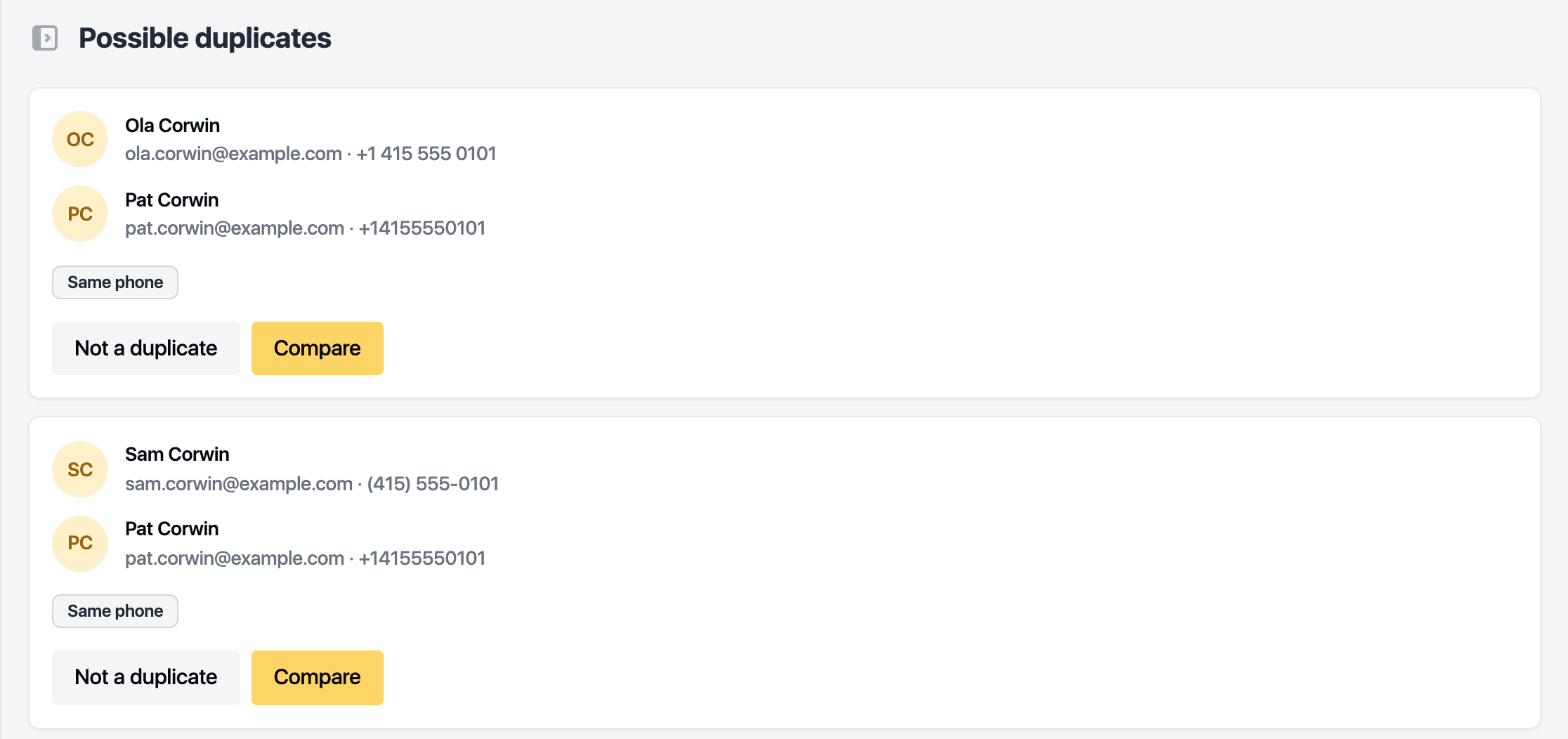
Open Customers. The banner at the top says how many possible duplicates there are. Click it.
-
Each pair shows both records and why they match. Click Compare.
-
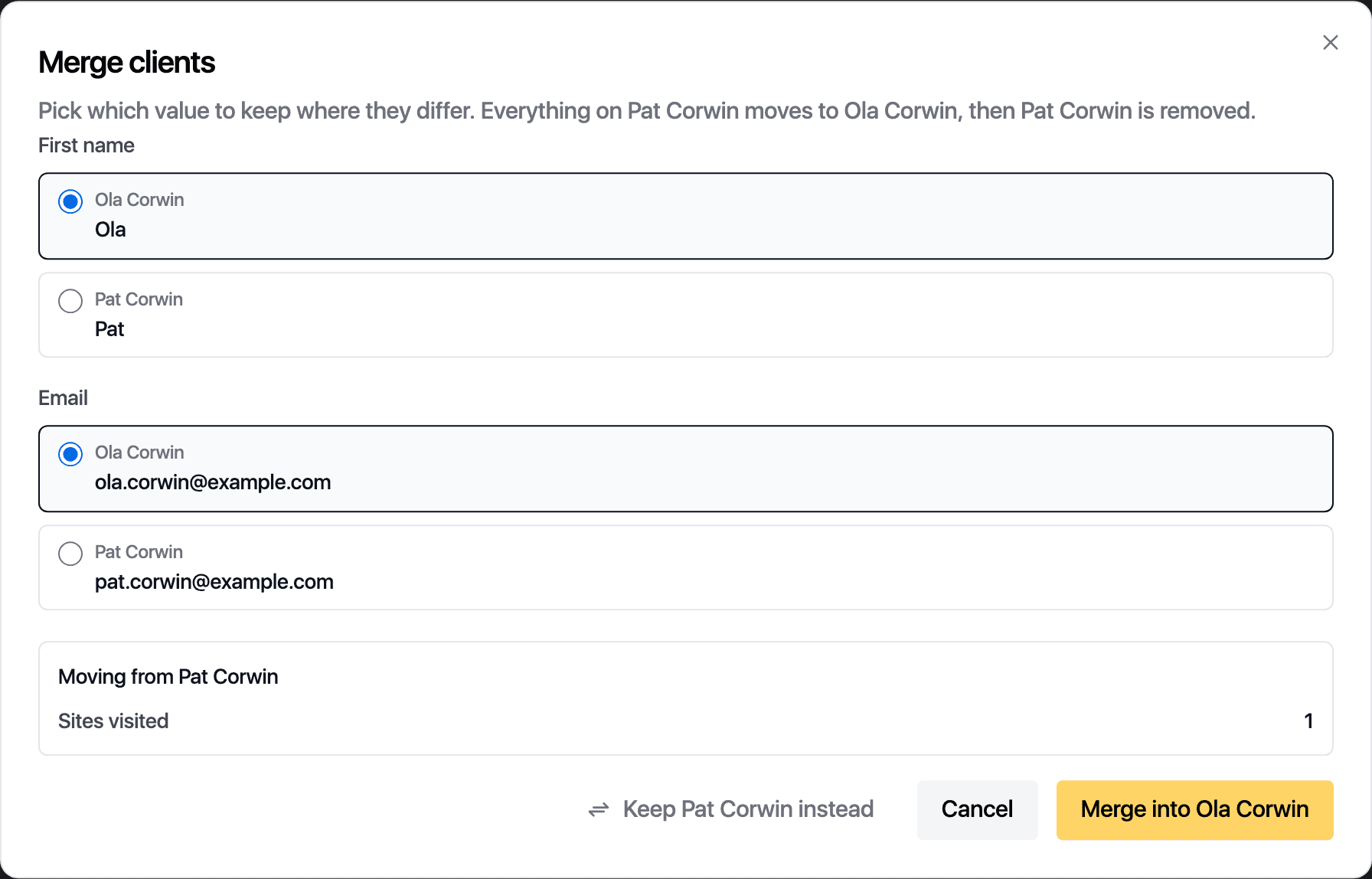
For every field that differs, pick the value to keep. Keep [name] instead swaps which record survives. The box below lists what moves across: appointments, packages, invoices, visit rhythms and saved cards.
-
Click Merge into [name].
You land on the surviving record. Its Details tab lists the merged-in record, with the date and who merged it. A pair that is two different people is cleared with Not a duplicate.
Related guides
Updated October 20, 2026