

Open a record from the Customers list, from a booking or from Home. Everything about the client sits on one page.
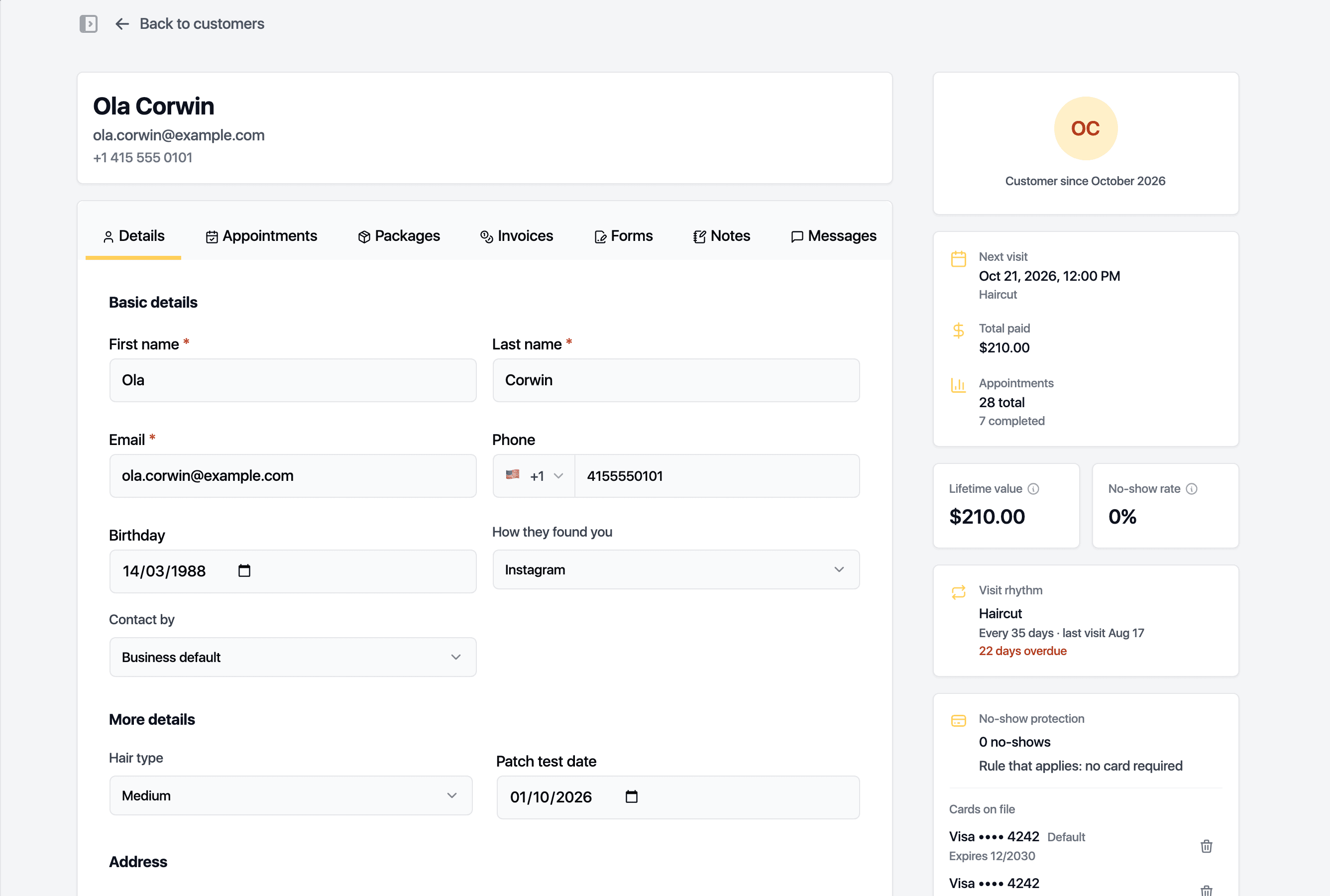
The side panel
- Next visit, Total paid and the number of appointments.
- Lifetime value and No-show rate.
- Visit rhythm: how often the client usually comes, when the next visit is due and whether it is booked.
- No-show protection: past no-shows, the rule that applies and the cards on file.
- Packages: active packages and what is left on them.
- Quick actions: Book appointment, Send email, Sell product, and Deactivate for a client who is not coming back.
The tabs
- Details: name, email, phone, birthday, how they found you, preferred contact method, address and any custom fields. Can sign in lets the client use the client portal.
- Appointments: every visit with its services, staff member, status and price.
- Packages: packages and memberships. Sell package issues one and puts the invoice on the Invoices tab. Enrol starts a membership. Each package can be adjusted or voided.
- Invoices: every invoice with what was paid and what is due. Take payment opens the payment drawer.
- Forms: signed forms with their version and validity, plus Download PDF. Pick a form under Collect at the counter to open it on a tablet for the client.
- Notes: clinical and private notes. A finalised note cannot be edited and every read is logged.
- Messages: the text thread with the client.
Changes on the Details tab save through the bar at the top of the page.
Related guides
Updated October 20, 2026