

Home is the first page after sign-in. Each card answers one question about today. A card shows only to roles with the matching permission.
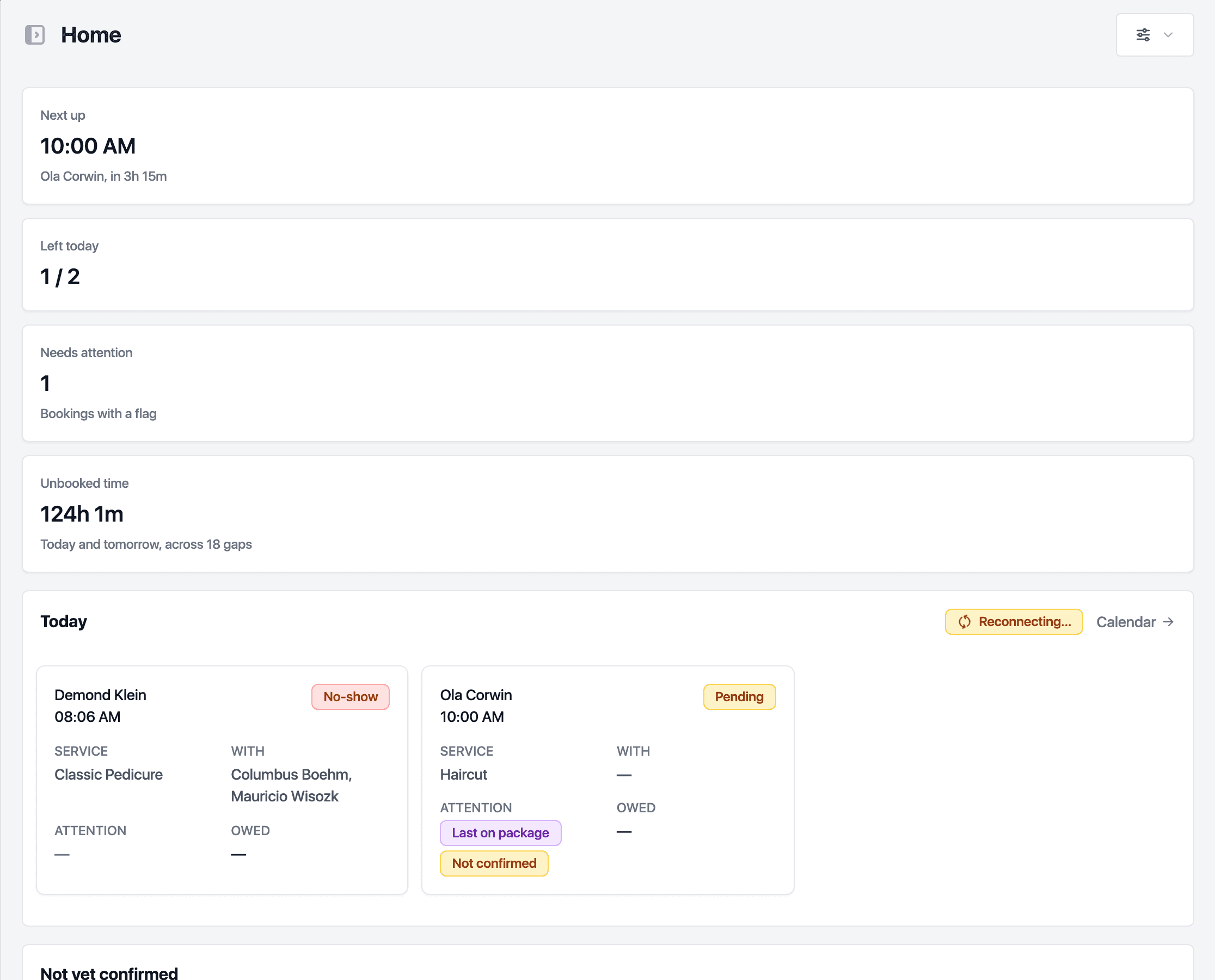
The cards
- Today at a glance: the next appointment, how many are left today, bookings with a flag and unbooked time.
- Today: the schedule in order, with the client, service, staff member, status and anything owed. Flags mark a balance owed, a last package session, a first visit, an unconfirmed or moved booking and notes. Click a row to open the appointment.
- Not yet confirmed: bookings starting in the next hours that the client has not confirmed.
- Unbooked time: rostered hours with nothing booked in.
- Money: collected today, outstanding, overdue and failed payments.
- Health: utilisation, bookings in the coming days, rebooking, no-shows, cancellations and new against returning clients.
- Packages: unredeemed value, recent redemptions, packages about to expire and breakage over 90 days. Worth a call lists clients to follow up.
- Overdue clients: clients past their usual visit rhythm. Book opens a new appointment, Send emails a reminder with a booking link and Dismiss takes them off the list.
- Reviews, last 30 days: requests sent, review link opens and average feedback.
- Low stock: products under their threshold.
Choose your cards
- Click Widgets at the top right.
- Switch cards on or off. The choice is yours alone and does not change what colleagues see.
With more than one location, the Location picker at the top limits every card to one site or shows them all.
Related guides
Updated October 20, 2026