

A package is paid for once and redeemed over several visits. Checkout takes the visit from the package automatically.
Pick a type
- Sessions holds a set number of visits for each service in it. A 10-session massage package is used up one massage at a time.
- Credits holds a pool of credits. Each service in the package costs a set number of credits per visit, so one package can cover services of different value.
Create the package
-
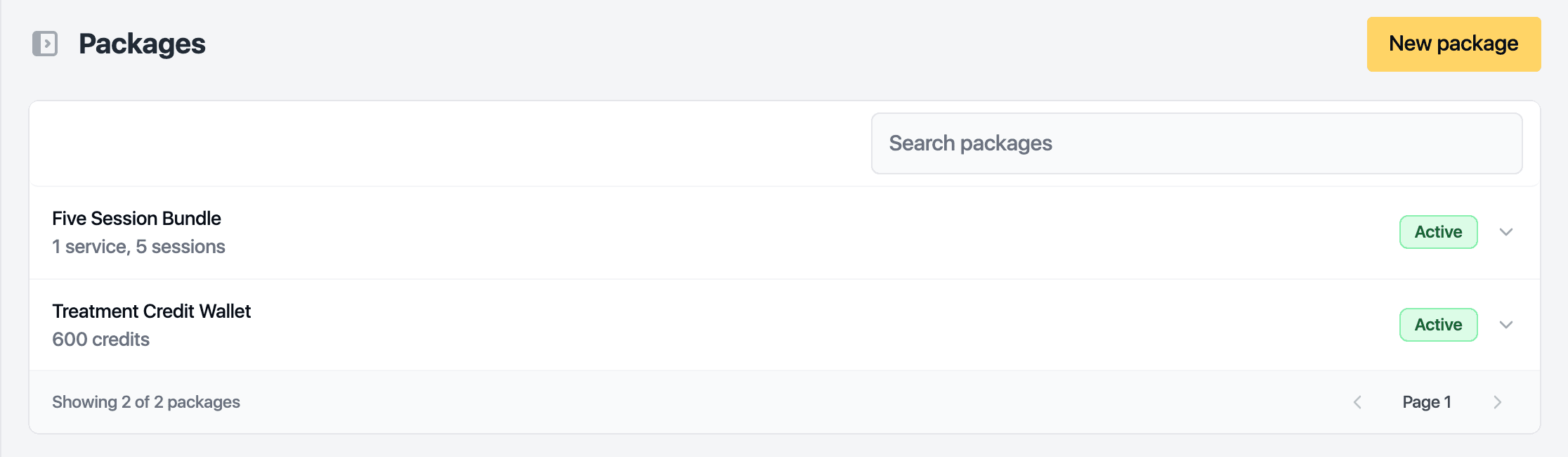
Open Catalog, then Packages.
-
Click New package.
-
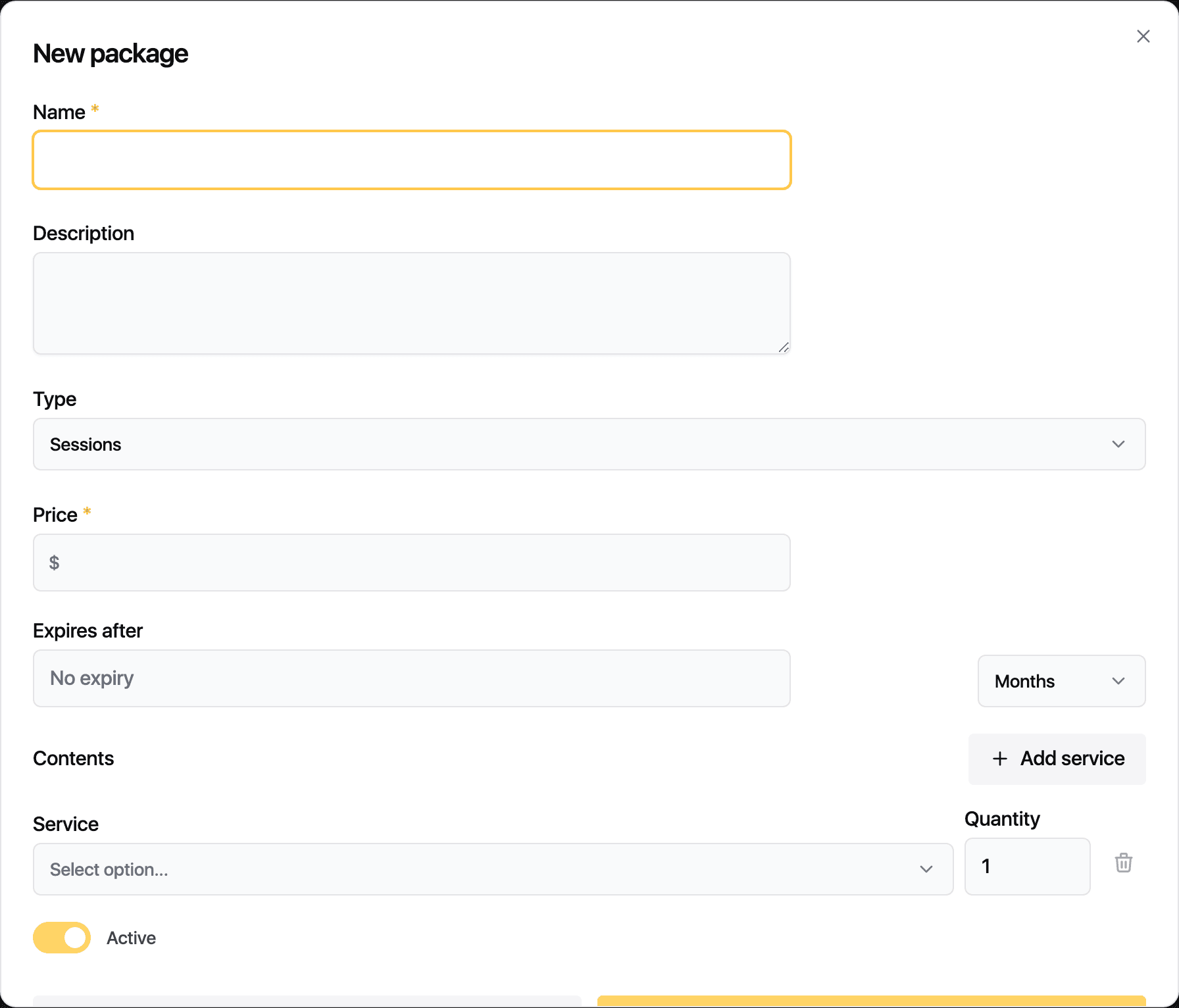
Enter the name. The description is optional.
-
Choose the Type: Sessions or Credits.
-
Set the price.
-
Set Expires after. Choose No expiry, or a number of days, months or years counted from the sale.
-
Under Contents, click Add service and pick a service. For a sessions package, set the quantity. For a credits package, set the credits each visit costs, then fill in Credits included for the whole package.
-
Click Save.
Where this package can be used limits a package to listed locations and lets each site sell it at its own price.
Selling and redeeming
Sell a package from the client's record: open the Packages tab and click Enrol. At checkout, a visit that matches a package the client holds is taken from the package instead of being charged.
Related guides
Updated October 20, 2026