
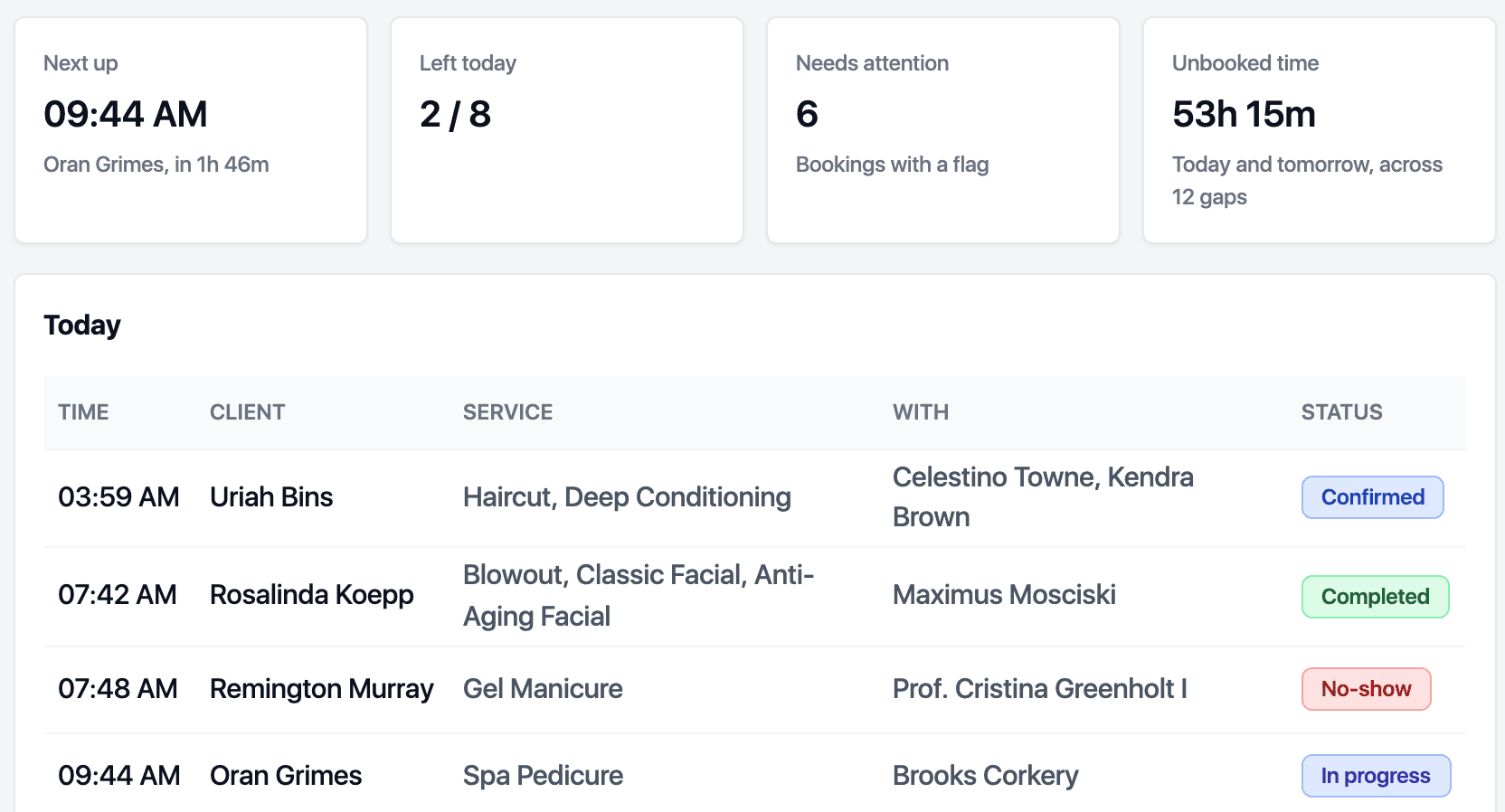
Home dashboard
Start each day knowing what needs your attention.
- Today's bookings, holds and waitlist offers
- Unpaid invoices, expiring packages and low stock
- Overdue clients and review activity

Numbers with their formula next to them.
The dashboard shows what needs attention today. Reports show how the practice is doing, and every figure can show its formula and open the list of records behind it.
Start each day knowing what needs your attention.
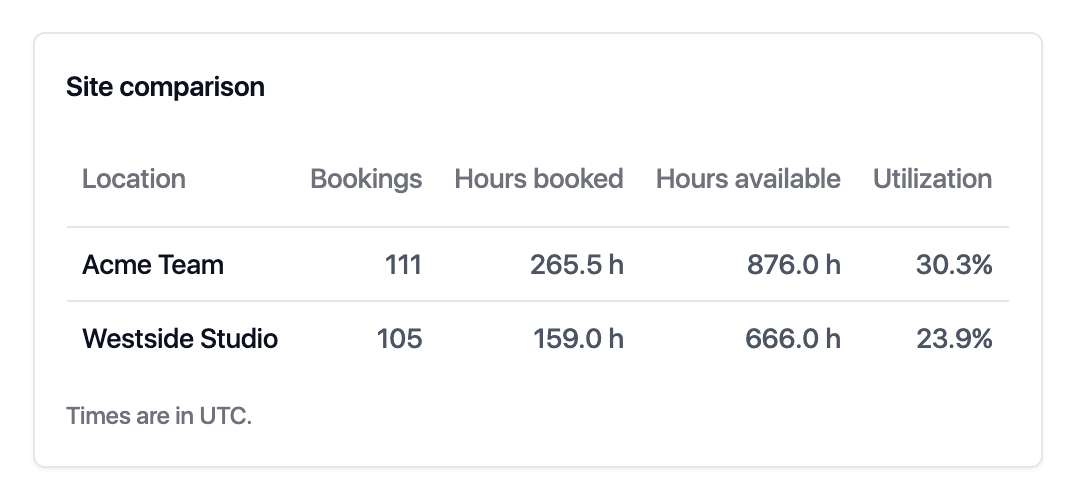
See which locations are busy and which have room to grow.

Retention, rebooking at checkout, lifetime value, no-show rate, utilisation, average ticket, new versus returning and package breakage, each defined in plain words.
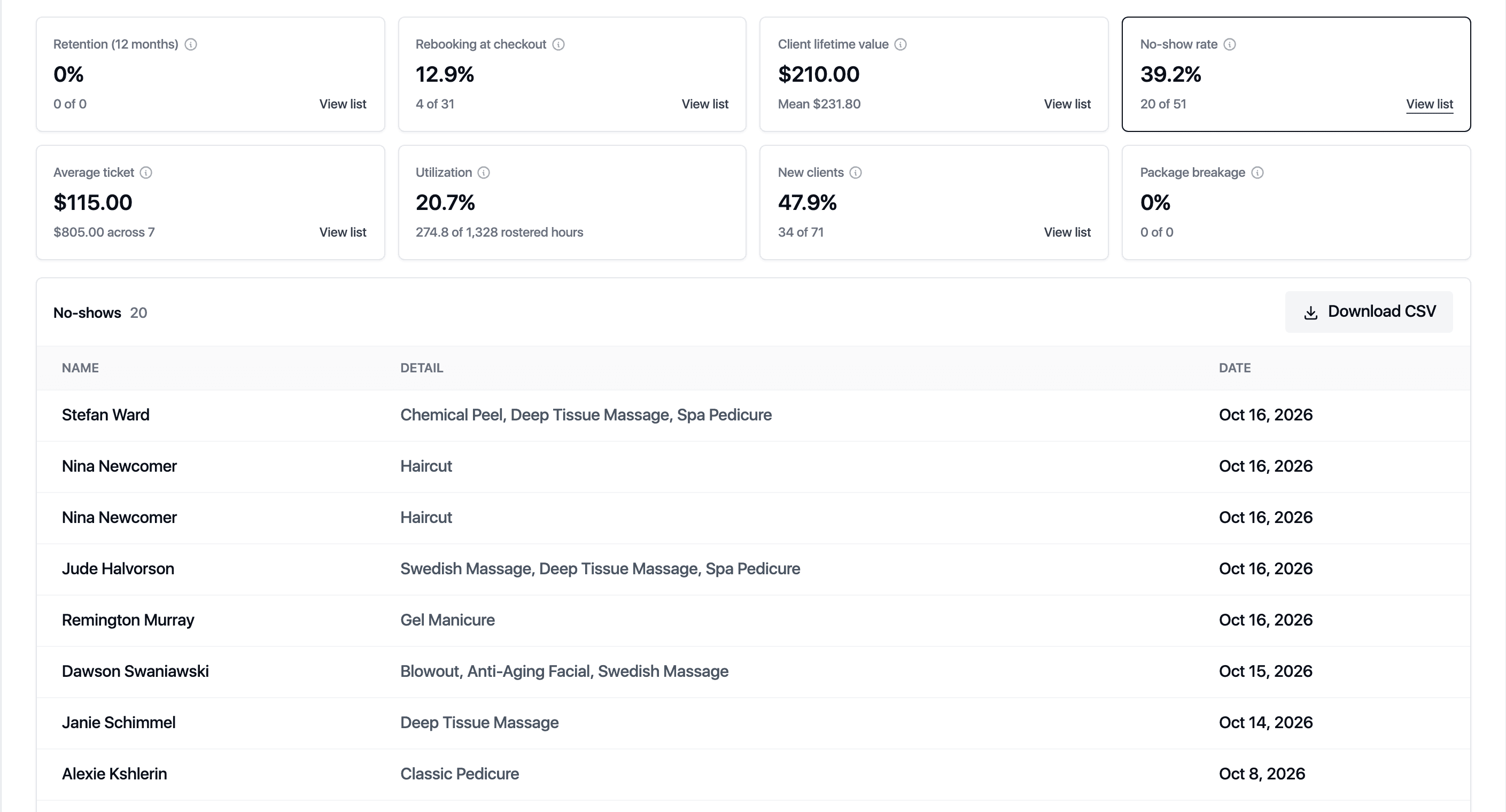
Click a figure and see the records that make it up: the clients who did not return, the visits with no next booking, the no-shows.
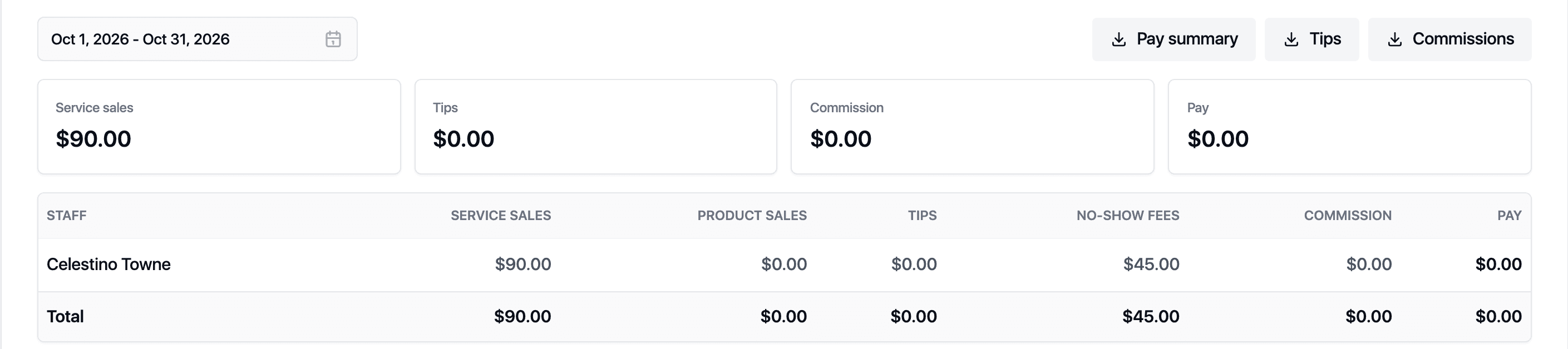
Service and product sales, tips, no-show fees and commission per person for any period.
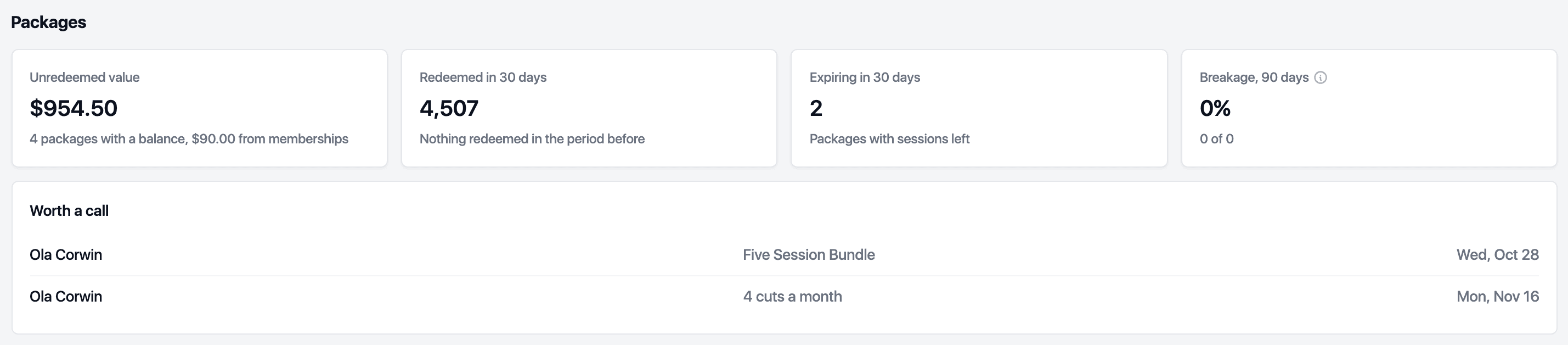
Unredeemed packages, membership grants and gift card balances, shown separately, so you know what has been paid for but not yet delivered.
Every visit, note, form, message and payment on one record.
Staff, rooms, classes and repeat visits on one calendar.
A booking page with your rules, your branding and your domain.
Invoices, cards, packages, memberships, gift cards and stock in one till.
Confirmations, reminders and follow-ups that you word yourself.
Roles, pay rules and sites, managed from one account.
Export everything, connect anything, keep the keys.
Set up your services and team and start taking bookings during your free trial.