
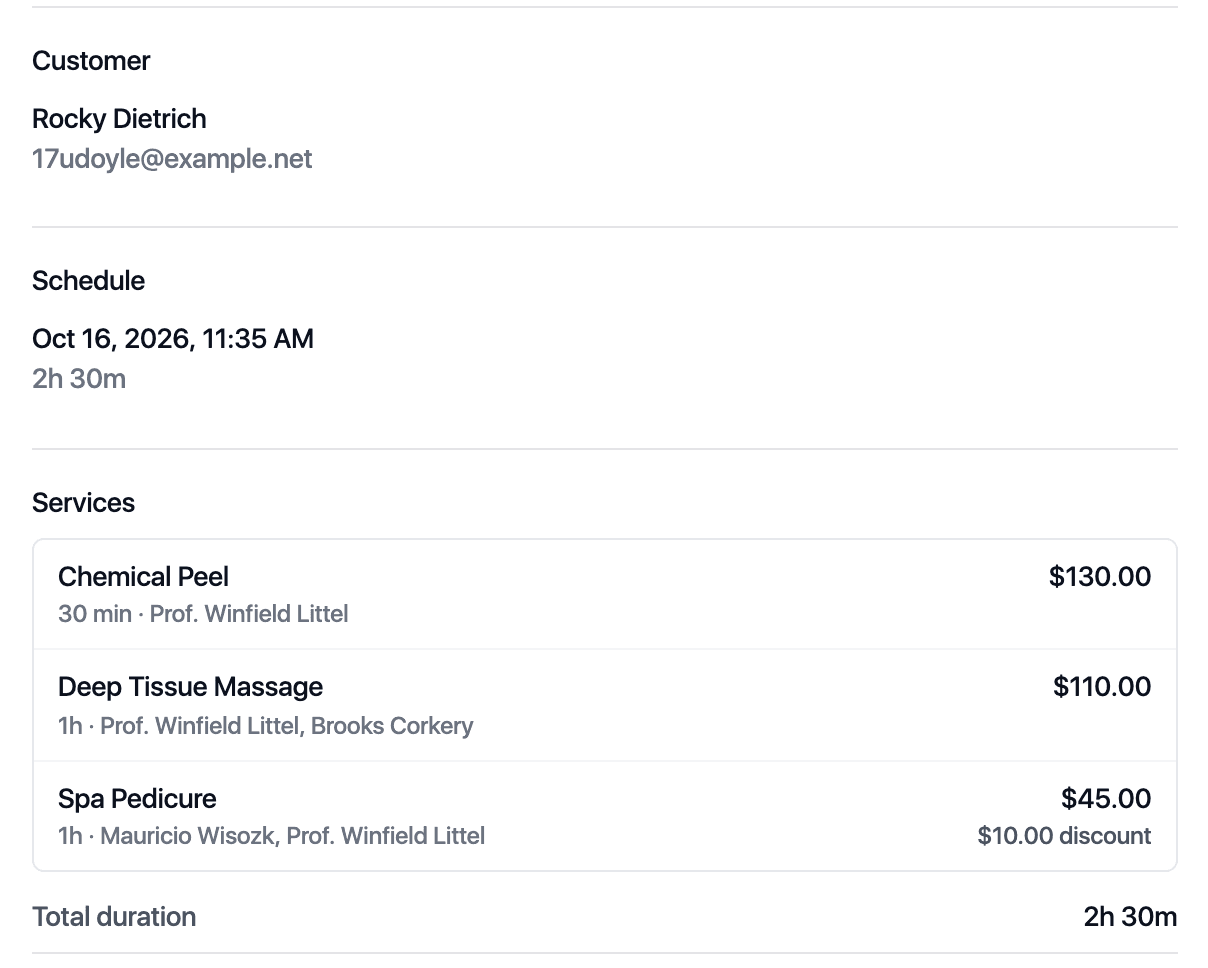
Multi-staff appointments
Book visits with several services and team members as one appointment.
- Several services in one booking
- A different team member per service
- Prices and discounts per service

Your whole team, every room and every booking in one view.
A shared calendar for staff, rooms and equipment, with the rules for overlaps, hours and time off set once. Repeat visits, classes and the waitlist run on the same calendar.
Book visits with several services and team members as one appointment.
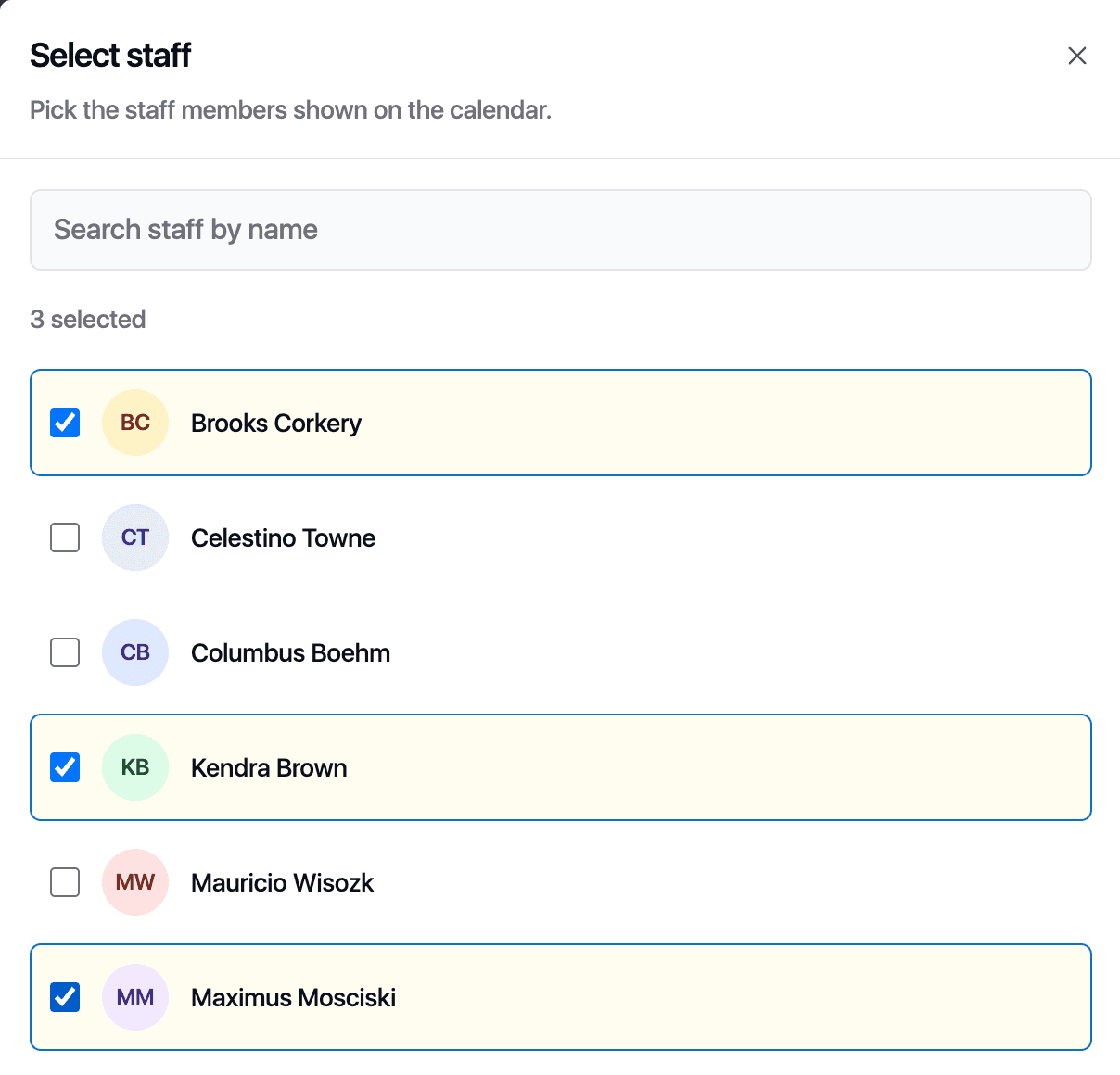
See who is free and which rooms are taken at a glance.
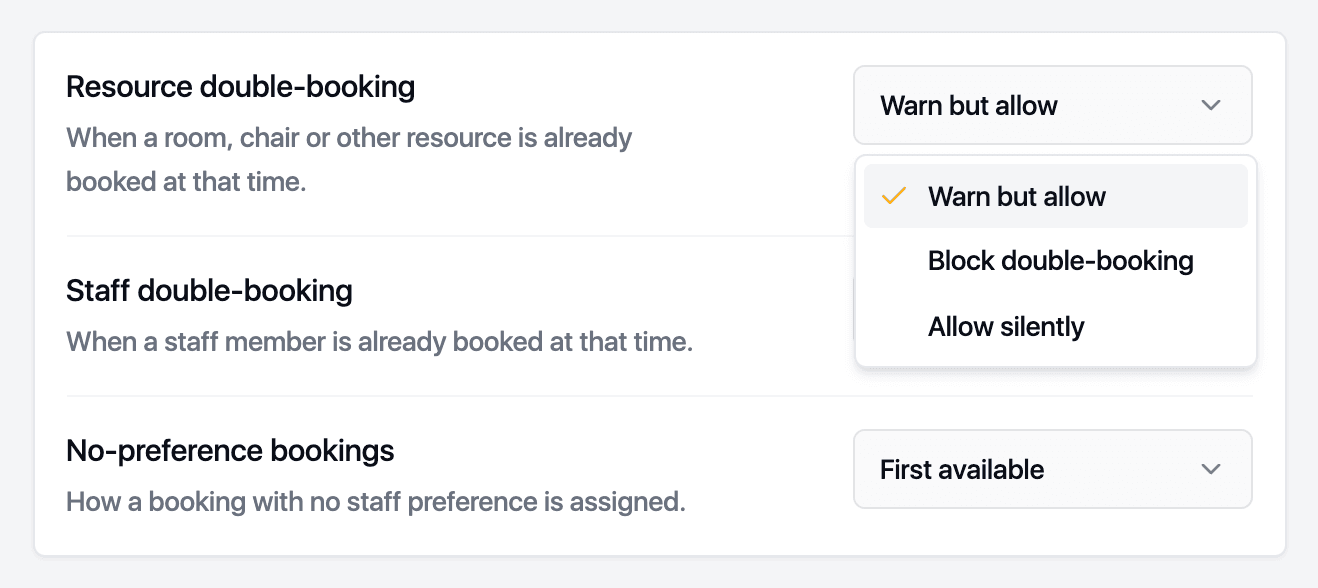
Decide how strict your calendar is about overlapping bookings.
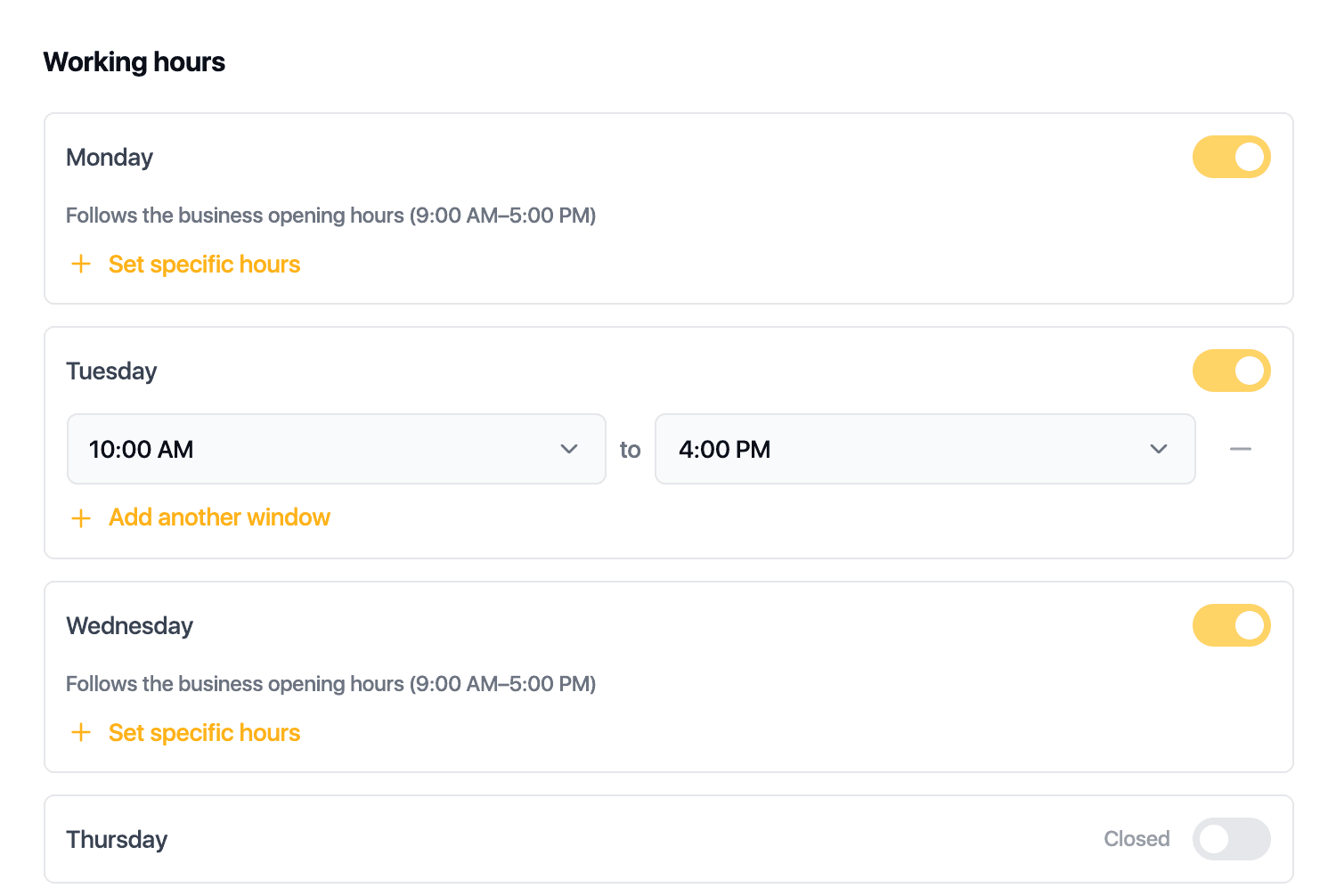
Keep everyone's hours current so clients only book when someone is in.
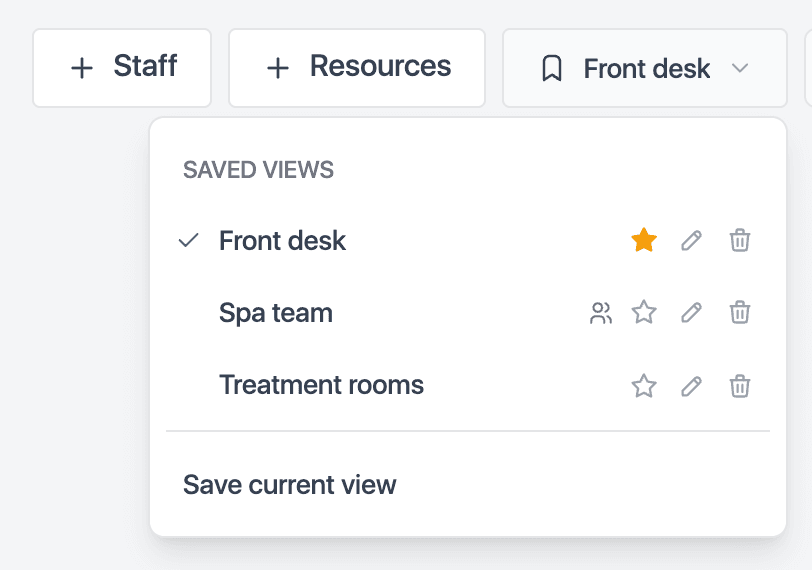
Everyone opens the calendar to the staff and rooms they work with.
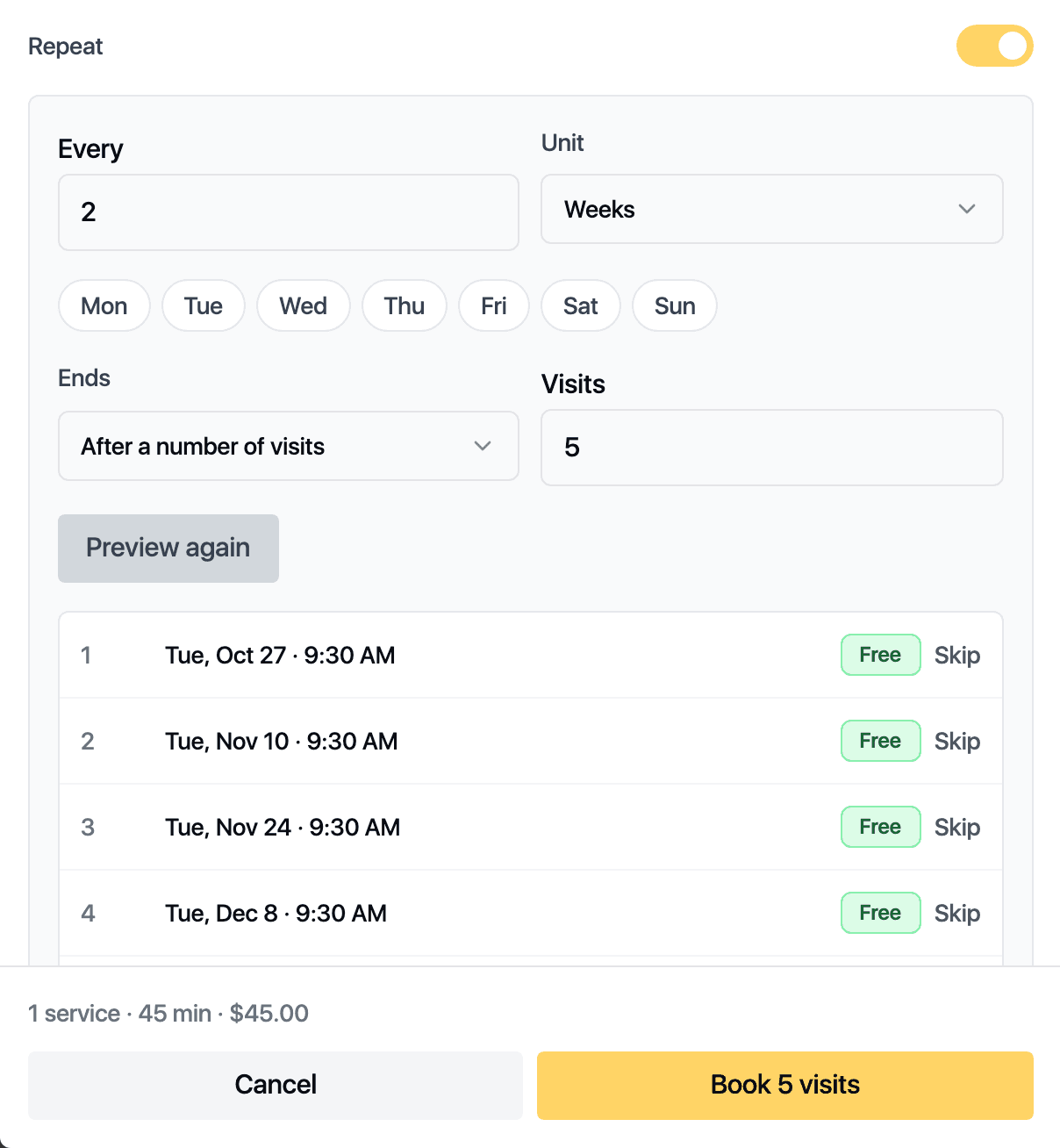
Repeat a visit every few days or weeks, up to 52 times. Appointier previews every date before it books anything.
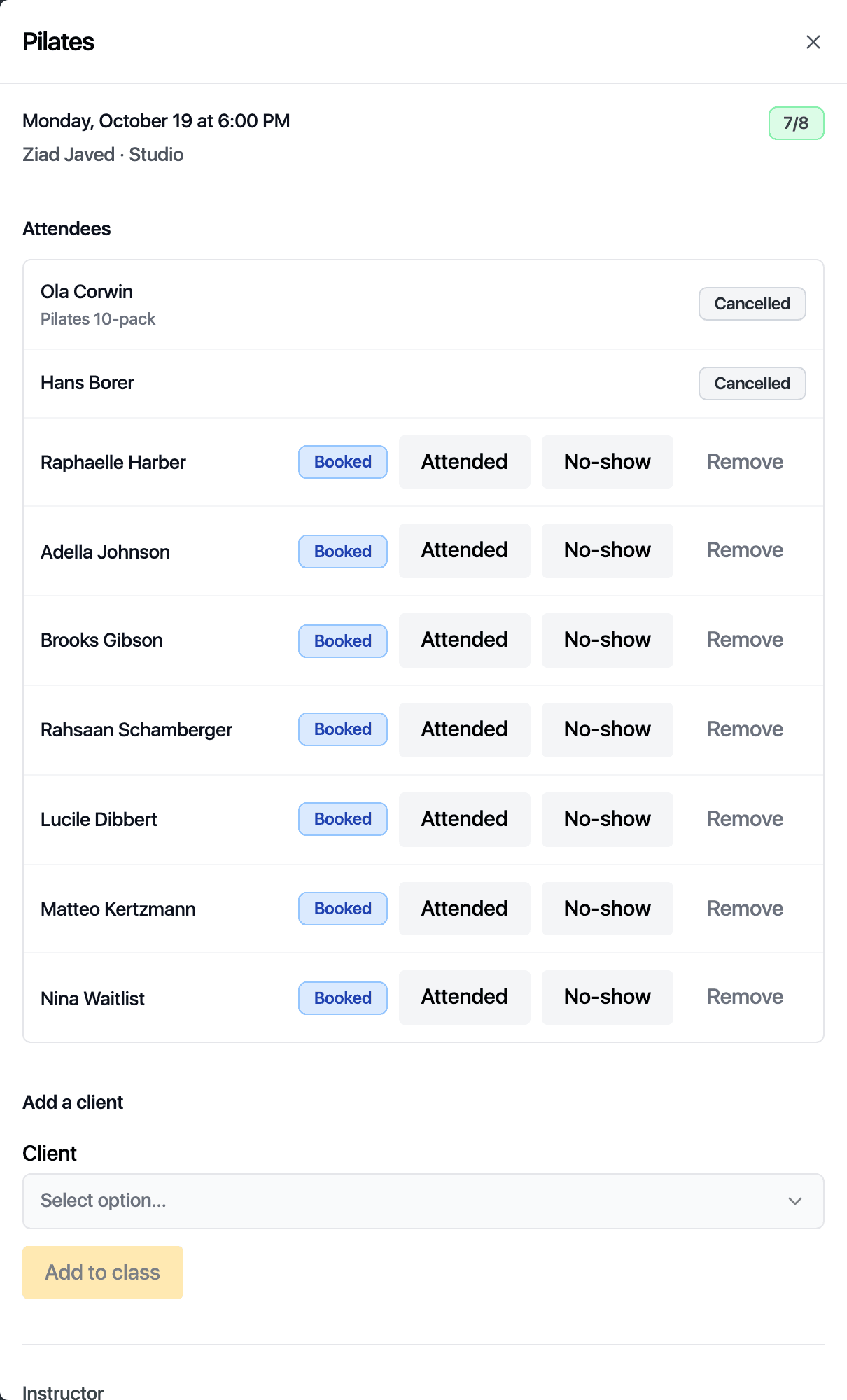
Mark a service as a class, give it seats and a room, and schedule it weekly. Attendees pay with a package or on the day.

When a time frees up, the longest-waiting match is offered it by email or text and has 15 minutes to take it.
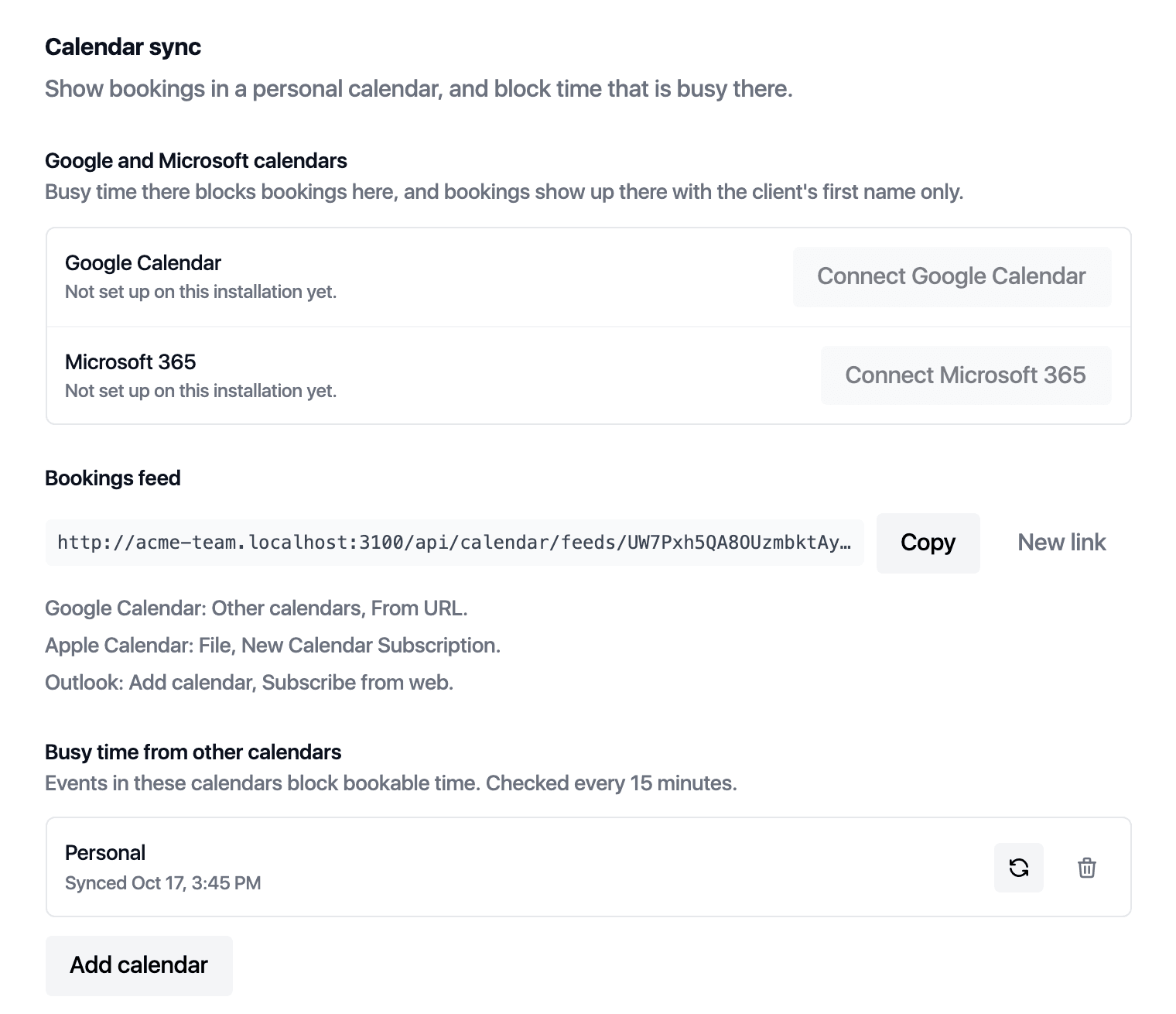
Each staff member gets a calendar feed for their phone, and can connect Google Calendar or Microsoft 365 both ways.
Every visit, note, form, message and payment on one record.
A booking page with your rules, your branding and your domain.
Invoices, cards, packages, memberships, gift cards and stock in one till.
Confirmations, reminders and follow-ups that you word yourself.
Every figure names its formula and opens the list behind it.
Roles, pay rules and sites, managed from one account.
Export everything, connect anything, keep the keys.
Set up your services and team and start taking bookings during your free trial.